Speaker tab

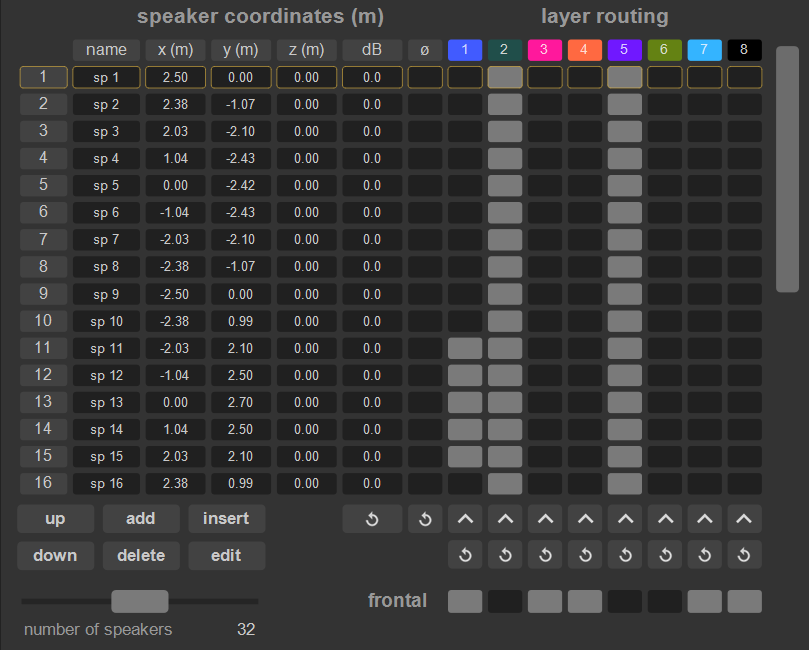
First task is to set the loudspeakers. This is done within the speaker tab.
- create & name speakers. Coordinates are entered as x, y, z,
- speakers and coordinates can be imported from a Blueprint or ArrayIntelligence cabinet export file
.arys, - speakers and coordinates can also be exported and imported using a
.csvfile, - use [TAB] to select next cell, [SHIFT + TAB] to select previous cell,
- assign speakers to layers in the layer routing matrix; set a layer as frontal using the respective checkbox underneath the matrix.
Speakers can be assigned to multiple layers, for example a main system (frontal) layer and a surround layer.
Generally, any layer containing a line or an arc of speakers, such as main PA, front and lip fills, delay lines, sub arrays, would be considered a frontal layer.
version 2.0.261002
Edit All Pages