Snapshots

The snapshot popup is located far right in the home tab.
Snapshot folder
First, set the snapshot folder path using the directory button.
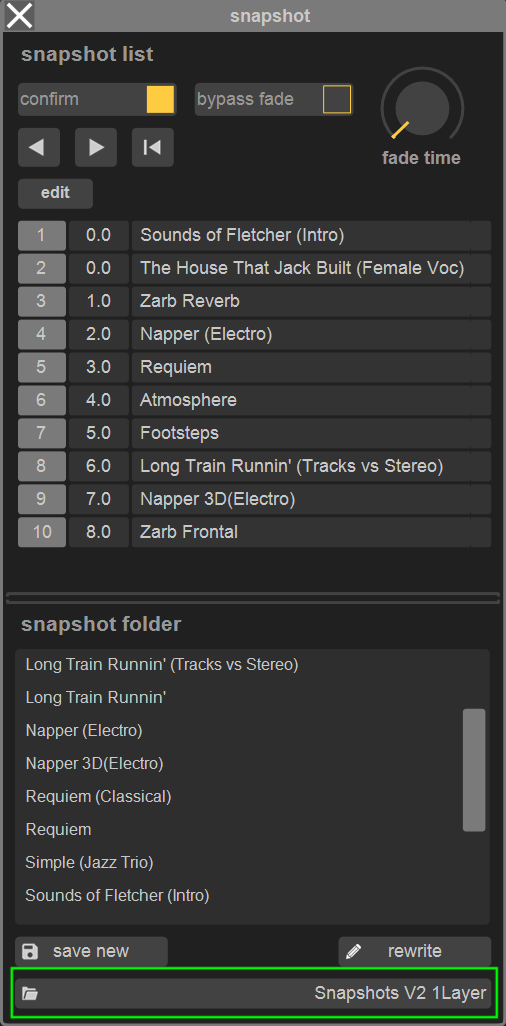
Snapshots contain all settings that are listed in the matrix -> recall safe page, where they can also be isolated from snapshot recall.
Each snapshot is stored as a separate file, new snapshots (save new button) are stored in the selected snapshot folder and added at the end of the snapshot list (see below).
The rewrite button updates an existing snapshot.
A rewrite confirmation is required if the names of the selected snapshot in the list and in the folder do not match.
Snapshot list
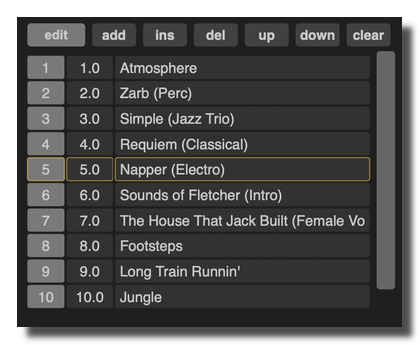
edit
- edit toggle button enables / disables snapshot list edit mode,
- drag and drop snapshots from the folder to the desired snapshot numbers,
- double-click to edit snapshot name and number respectively (snapshot numbers can have one decimal place),
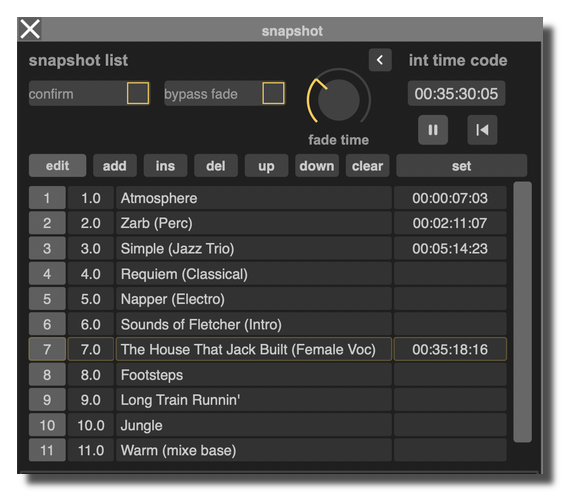
- right arrow opens additional panel to set / edit timecode values for snapshot recall
recall
- confirm checkbox enables / disables snapshot recall confirmation,
- individual snapshot crossfade duration (fade time) is stored per snapshot (can be bypassed),
- recall of a particular snapshot through MIDI CC (1 to 128 only), OSC (number or name), timecode (settings in preferences popup).
version 2.0.261002
Edit All Pages