Save & Load
Store and recall points for various settings are available in the remote.
File icon

Opens the save & load popup.
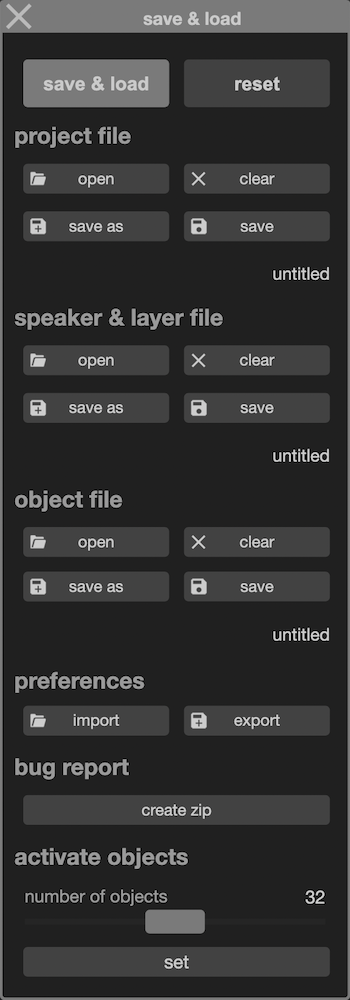
- project file: store or recall all project parameters, including engine master level,
- speaker & layer file: store or recall all parameters related to the loudspeakers setup:
- speakers names and coordinates,
- layers assignments,
- layers setup and names.
- object file: store or recall all objects and mix parameters,
- preferences: export or import preference settings for the remote
- bug report: initiate a bug report by archiving project and other files
It is possible to open a project file, then replace all objects and mix parameters by loading an object file. The same for speakers and layers parameters loading respective file.
Speaker tab
Coordinates can be stored and recalled as .csv file or can be imported from a Blueprint or ArrayIntelligence cabinet export file .arys.

Matrix -> misc
Object coordinates can be stored and recalled as a .csv file.
Various
Individual store and recall points are available for:
- objects,
- trajectories,
- layers,
- reverb,
- matrix.
through these icons:

version 2.0.261002
Edit All Pages