Tools

Setup tools
- generator can be used to check output patch and support system tuning,
- synth is useful for fine-tuning the low frequency response of the system.
Import
Mapping of standardized channel-based formats to a set of objects.
Protocol
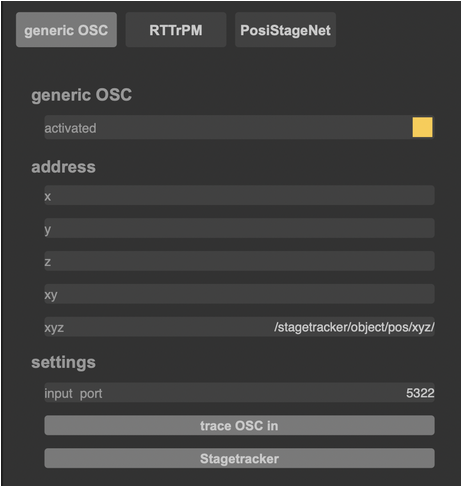
generic OSC
- activated checkbox enables / disables protocol,
- individual OSC addresses (incoming) can be specified for x, y, z, or xy or xyz coordinates,
- StageTracker button sets required OSC address for this tracking system,
- objects need to be assigned as desired in the respective space section(s).
Set external tracking system to send to the correct IP address and specified port of FletcherMachine remote computer for OSC adresses to be received.
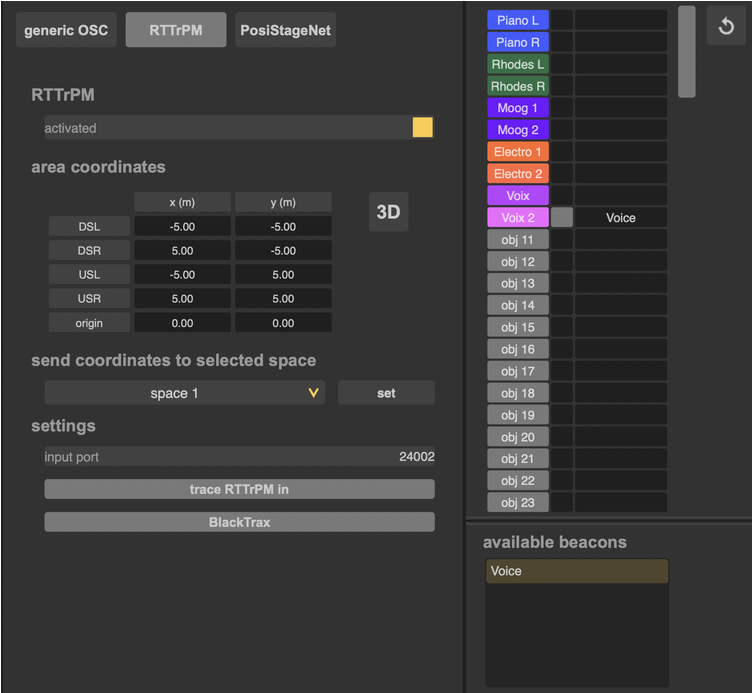
RTTrPM (BlackTrax)
- required settings in BlackTrax software:
- coordinate system: WYSIWYG,
- integer and floating-point encoding: little endian,
- centroid coordinates.
- required settings in FletcherMachine remote:
- protocol activation through activated checkbox,
- available beacons are assigned to objects by drag and drop, assignment must be enabled,
- area coordinates are set according to BlackTrax setup (by default the area is set in 2D),
- selected space is set with area coordinates (can be rescaled in the respective space section),
- objects need to be assigned as desired in the respective space section.
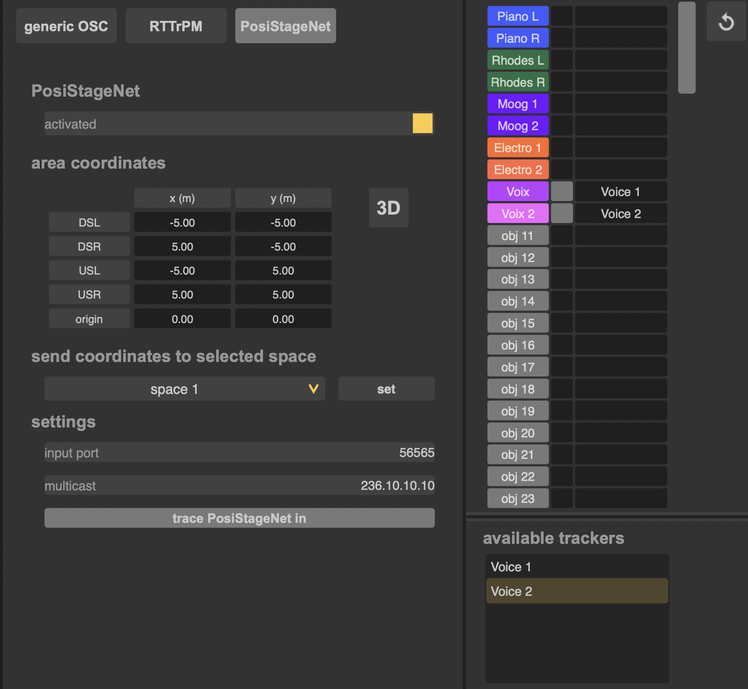
PosiStageNet
- protocol activation through activated checkbox,
- available trackers are assigned to objects by drag and drop, assignment must be enabled,
- area coordinates are set according to tracking system setup (by default the area is set in 2D),
- selected space is set with area coordinates (can be rescaled in the respective space section),
- objects need to be assigned as desired in the respective space section.
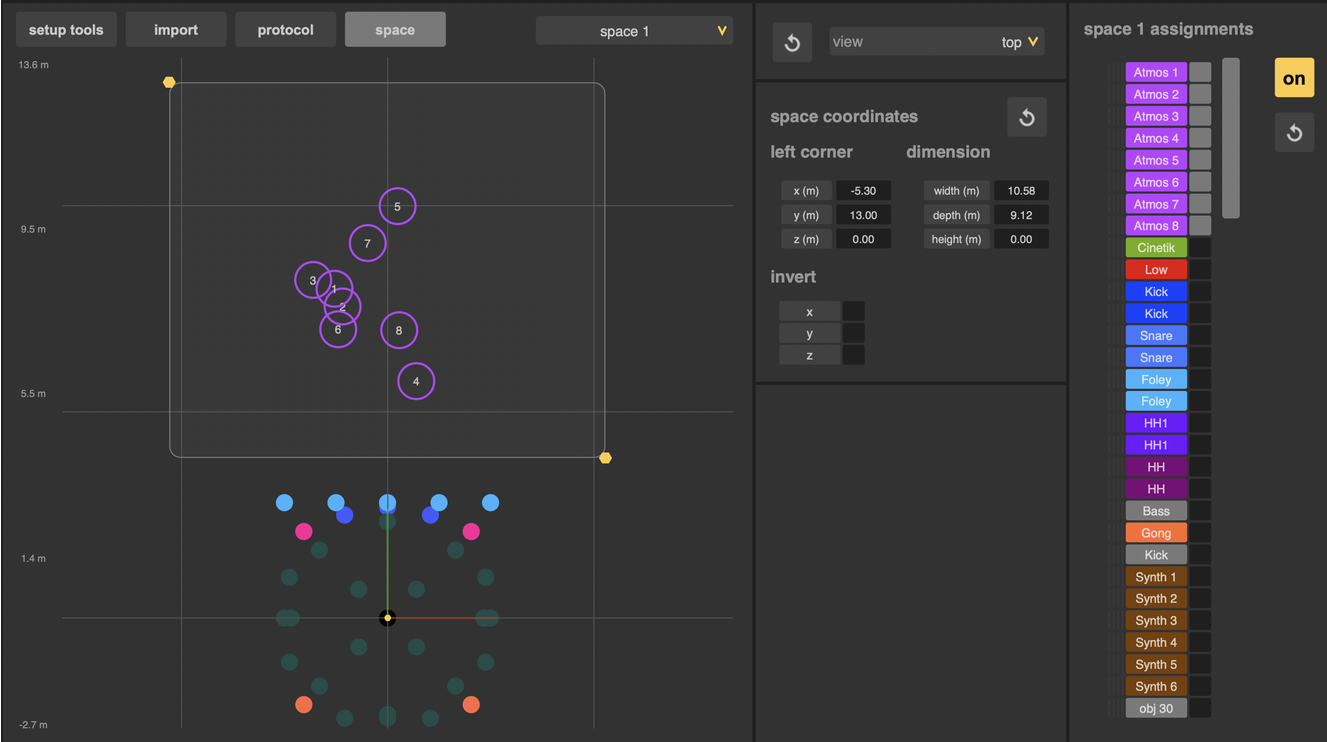
Space
The space feature allows to easily rescale incoming positional data to fit a specific area:
- objects are assigned to a space (only one space allowed per object),
- each space can simultaneously receive information from all protocols,
- by default, spaces are set to 2D, i.e. z value is set to 0.
version 2.0.261002
Edit All Pages